Make an AI photo card with the whole family at one table
An AI photo card puts your own people into one picture: add a photo of each and they sit at the same birthday table, even if they live in three countries. Four of our image models cover most photo cards: GPT Image 2.5 Flare and GPT Image 2 from OpenAI, Nano Banana Pro from Google and Seedream 5.0 Pro from ByteDance.
- from 80 credits
Updated 29.09.2026
A sofa, two garden tables and a watercolour grandmother
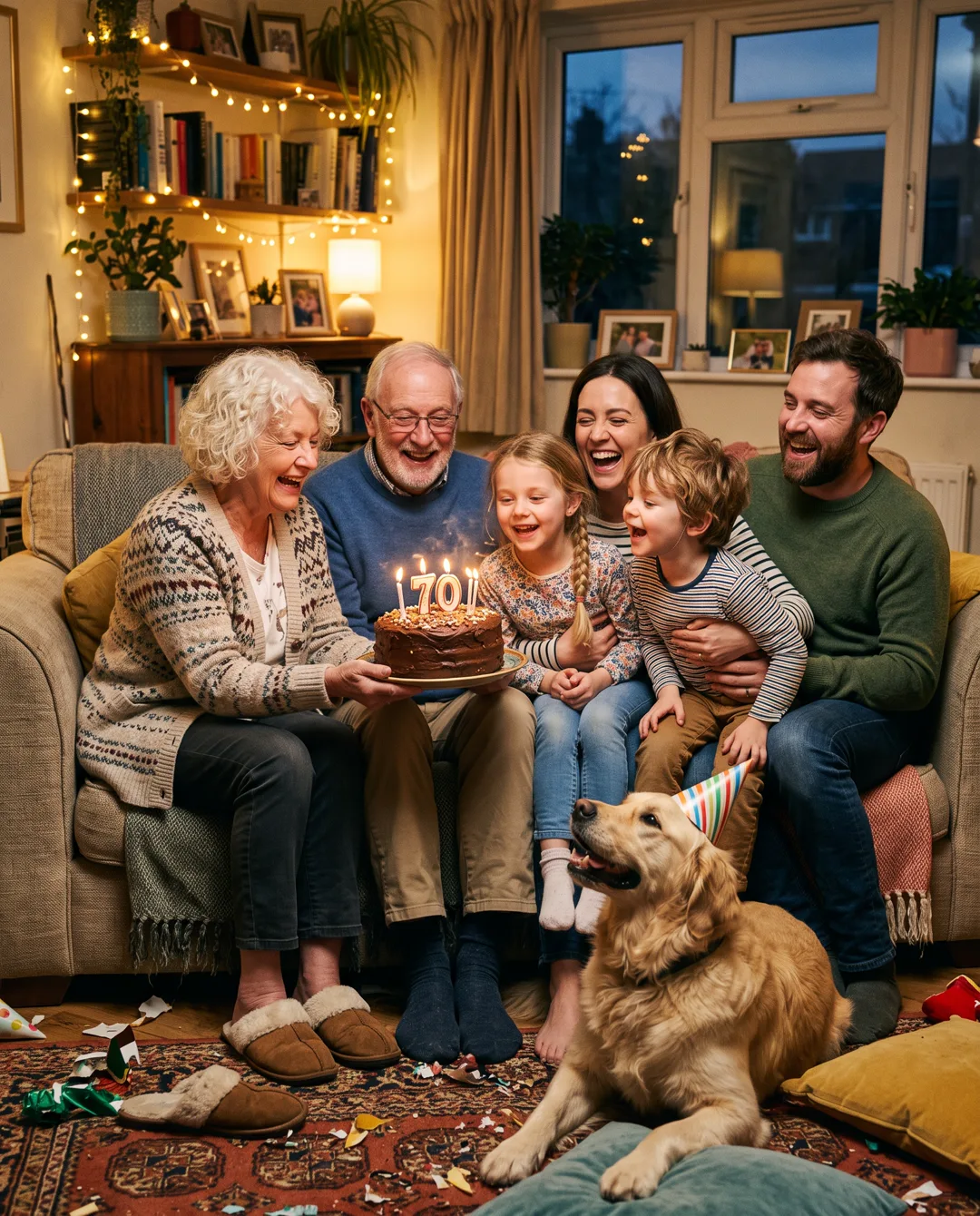
Prompt
Photo of three generations of a family squeezed onto one sofa in a cosy living room, blowing out candles on a homemade chocolate cake together, a golden retriever with a party hat at their feet, string lights, candid laughter, warm evening light, realistic photo, no text
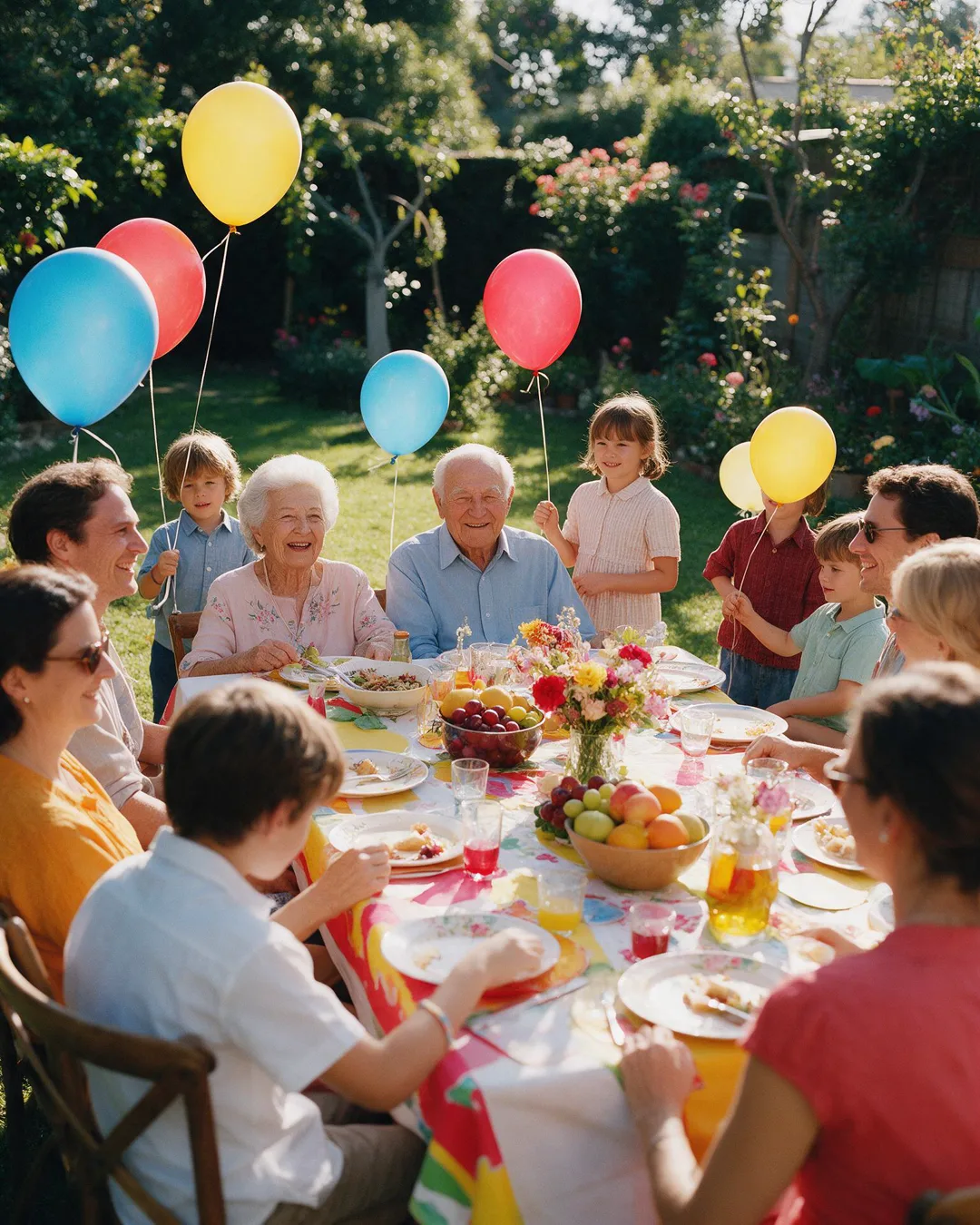
Prompt
Festive photo of a big family dinner on a long table in a sunlit garden, bright tablecloth, bowls of fruit and flowers, children holding balloons, grandparents at the head of the table, rich saturated colours, joyful atmosphere, realistic photo, no text
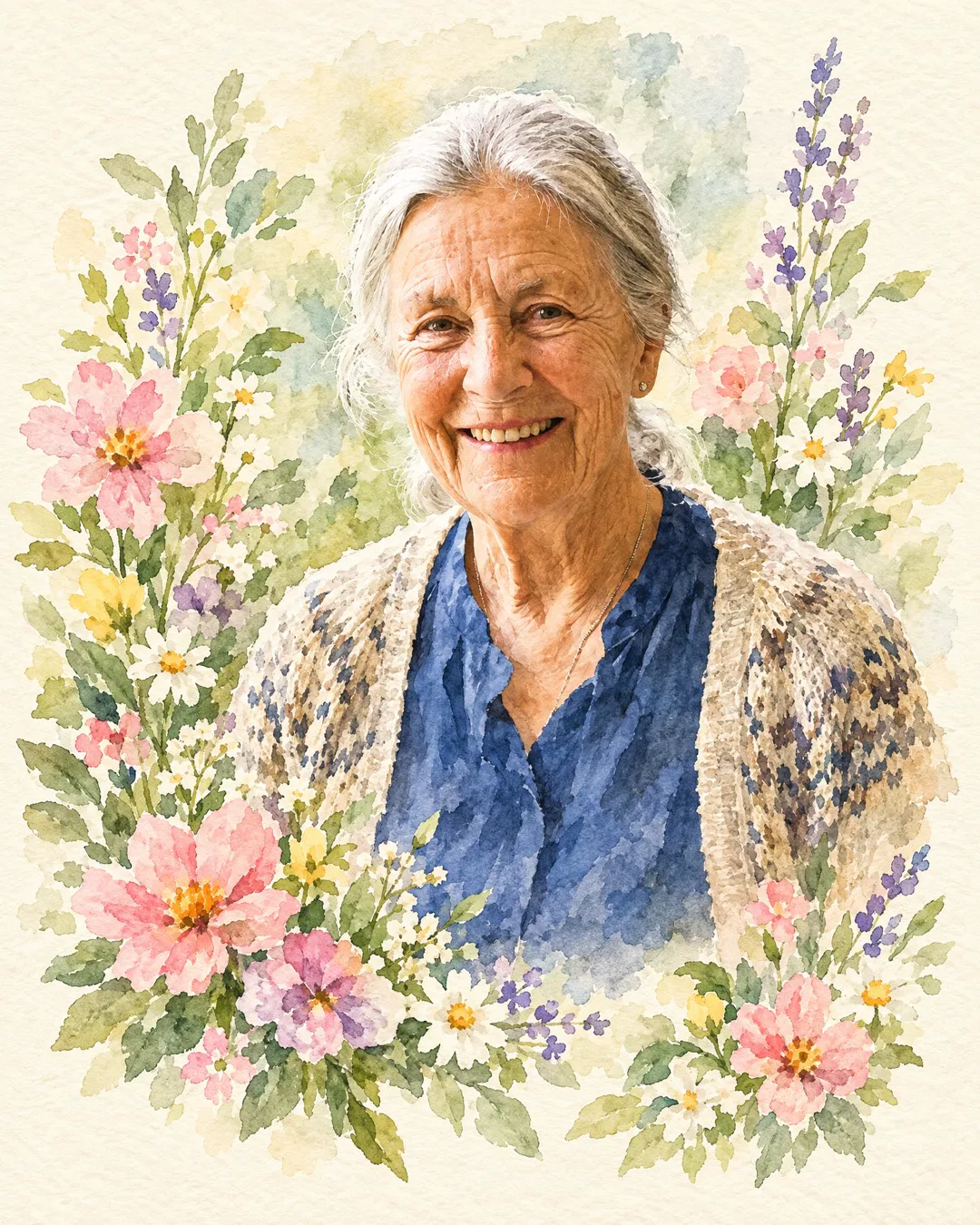
Prompt
Turn this photo into a hand-painted watercolour birthday card: keep her face, smile and hair exactly as in the photo, soft washes of colour, flowers around her, a cream paper texture, no text
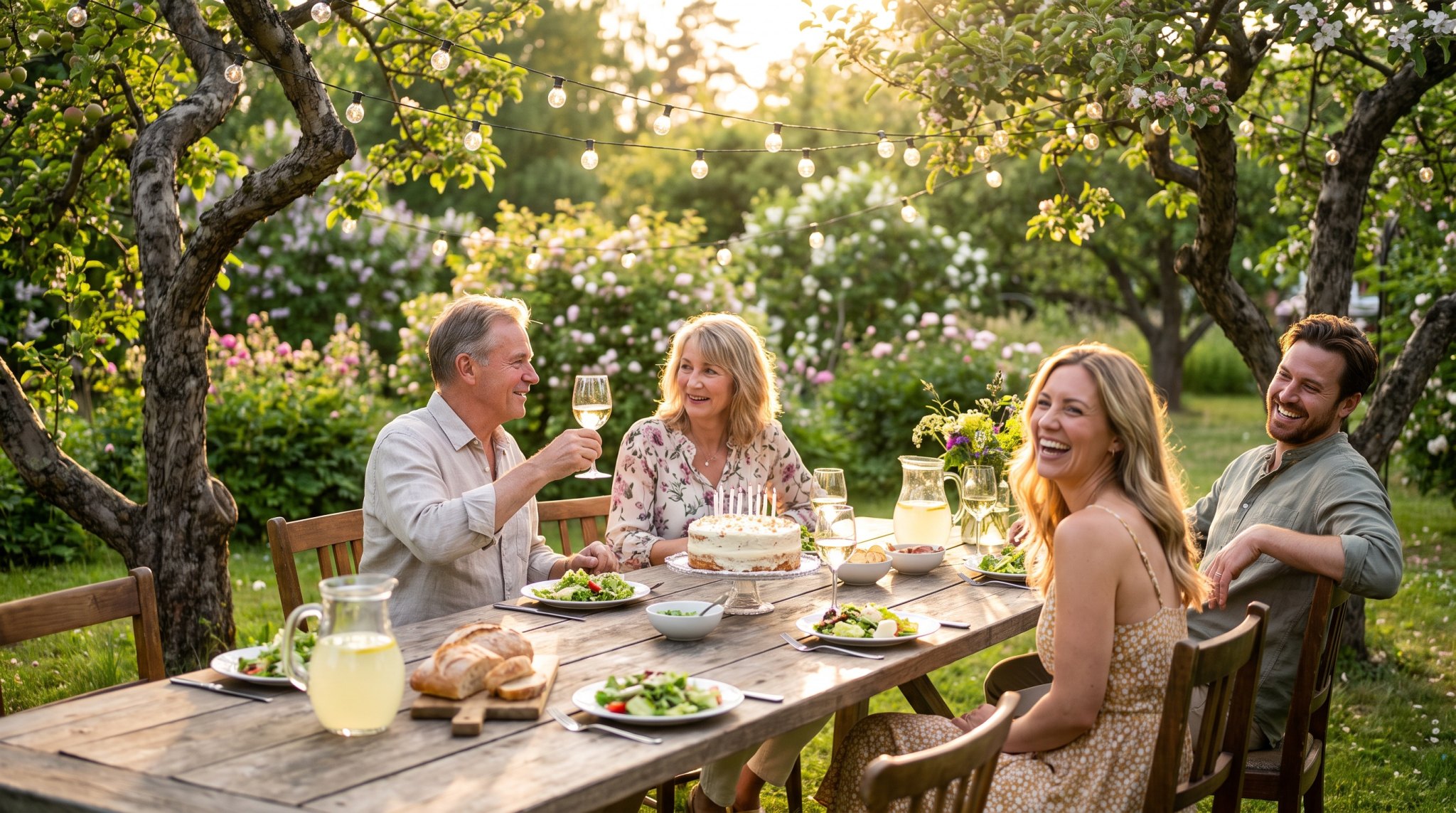
Prompt
The whole family down one table outside, string lights on, nobody in a hurry
From one photo each to one table: the steps
- 1
Add your people
Upload one photo of each person - JPG, PNG or WebP, up to 10 MB - from your device, your library or People. Choose a recent one, face to the camera, in good light. A tiny head at the back of a group shot, sunglasses or a glass over half the face gets you a stranger with the right haircut.
- 2
Pick a scene or describe the moment
Open Scenes and choose a ready moment such as "Long garden table" or "Candles for Mum". Or tell the agent in the chat what you want; it asks its questions one at a time, with buttons to tap. In Standard, choose Photo card and a Model, or keep Auto.
- 3
Check the faces, then send it
A Flare card takes about 25 seconds, a GPT Image 2 card about 80. Check each face against its own photo, one at a time: a missing cousin or a doubled aunt is easy to miss at a glance. Then schedule it by email, SMS or a popular messenger for the day, and save the date in Reminders.
Two faces or five: picking the picture model
Start with who is in the picture. For two to four people whose faces must be right, leave the picker on Auto: GPT Image 2.5 Flare, the model we chose for likeness. A card takes about 25 seconds, so a second try costs little time. Flare also holds a face when the style changes: the watercolour card above started as a single portrait of a grandmother, and her face, smile and hair came through. It is a way round the relative who refuses to sit for any new photo.
For five people, switch to Nano Banana Pro from Google. It keeps likeness for up to five, and it drew every scene picture in our catalogue, including the "Long garden table" above - the whole family down one table outside, string lights on. It costs more than Flare, so save it for the big group.
Seedream 5.0 Pro from ByteDance paints in rich colour: the garden dinner above, with its bright tablecloth and children holding balloons, is Seedream at 2K. Pick GPT Image 2 when words belong in the picture, such as "Happy 70th, Mum" across a watercolour card; we recommend it for lettering and fine detail, and it takes about 80 seconds. The sofa card above, three generations and a retriever in a party hat, was made with Nano Banana 2, the fast one, which costs less than Pro and makes a good quick draft before the real card.
Seating a family that lives in three countries
Choose the faces first, before you open anything: it is easier to split the list while it is still a list and not a family argument. A picture can hold up to six people, but models keep faces most reliably with four or fewer. If there are eight of you, make two cards - the grandparents with the grandchildren, then the siblings - rather than one crowded table where Uncle Mark starts to look like somebody else's uncle.
The photos do more work than the prompt, because the model builds each face from the photo you give it. Give each person their own: recent, face to the camera, in daylight or a well-lit room. A phone portrait from last month beats a studio shot from years ago. If the only decent picture of your uncle is from a wedding group, crop him out and see if a face survives; if it is a smudge, ask him for a selfie. Each model here takes up to eight reference photos, so the limit is never the uploads, only the faces.
One piece of manners no model handles for you: if someone in the family dislikes being photographed, ask before you seat them at the table.
A catalogue scene, or a place only your family knows
A scene from the catalogue wins when you want the card in minutes or the moment is a familiar one: candles on a cake, Hanukkah by the window, Eid dinner at Grandma's. The light, the table and the composition are done, and the people in the scene pictures are invented - they hold the places your people will take. Your own words win when the place is the point: Dad's workshop with the radio on the shelf, the balcony of the flat you all grew up in. No catalogue has those.
Then write the picture like a seating plan. "Grandma at the head of the table, my brother and his wife on her left, me on her right" tells the model where everyone goes; "a nice family photo" leaves it guessing. Add the place and the light in one line each, such as a long garden table under string lights or a warm kitchen at night, and one thing everyone is doing together: glasses raised, candles lit, a baby held up for the camera. One shared action comes out better than five people each busy with something else.
Say nothing about noses, hair or smiles; the photos already carry that. End with "no text" when the greeting will do the talking, so stray letters stay out of the picture. The sofa and garden cards above were made from a prompt alone, so their faces belong to nobody; once you add your photos, the faces are your people's.
Two sentences under the picture
A photo card earns its place on days with some weight: an anniversary, a milestone birthday, a grandparent on another continent who will look at the faces while reading the words, or a card several people are signing, where one shared picture turns five separate notes into one thing. For a sympathy note or a colleague you barely know, skip the picture; three honest sentences do more.
Settle the picture first and write the words second, as a caption rather than a headline: two sentences, twenty to forty words, tied to what is in the frame. "On this special day, I send you my warmest wishes" would fit any card to anyone. "Five years since that Saturday on the dock when you said yes" fits one. The text is free, and the agent can draft it with you.
Before you send, open the card on your phone and look at it small, the way it first appears in a chat: a crowded table turns into noise when scaled down. Then ask two questions. Would you say these words to their face, in a normal voice? If not, swap the most writerly sentence for one you would actually say. And if you deleted the words and sent only the picture, would they still feel cared for? If yes, you picked the right picture.
When the card should move, sing or speak
A photo card is often the first half of something bigger. Once the faces are right, it can be brought to life as a short clip with sound; on Auto the animation is made with MiniMax H3, the engine behind all 20 video scenes. A scene video takes 3-6 minutes, so make it the evening before.
Sometimes a still card is the wrong format. If everyone is already together in one good photo, do not make a new one; bring that photo to life as a short clip instead. If several people should raise their glasses while the camera moves in, the AI video greeting page compares Kling 3.0 and Veo 3.1. If Grandma should speak the greeting herself, a talking photo card does that. For a song with their name in the chorus, Google Lyria 3.5 makes it from lyrics you approve first.
Before sending, upscale the card for a big screen and reframe it if the shape is wrong for where it is going. Then schedule the card and its words by email, SMS or a popular messenger for the morning of the day.
Three prompts where every person has a place
A photo card for Dad's 65th: Dad at the head of a long garden table under string lights, Mum beside him, my sister and I opposite, all raising glasses, a chocolate cake with candles in front of him. Warm evening light, relaxed smiles, a realistic photo, no text.
Grandma's 80th: Grandma in her armchair in the middle of the living room, her two sons standing behind her, her two grandchildren sitting on the rug at her feet holding up a handmade card. Afternoon sun through the window, everyone looking at the camera, a realistic family photo.
A watercolour card for Mum's 70th: Mum and Dad dancing in their small kitchen, a pot of basil on the windowsill, and neat hand-lettered words at the top that read exactly: "Happy 70th, Mum". Soft morning colours, cream paper texture.
Cards for families that rarely share a table
Families split between countries
Mum in one country, the children in two others, and a birthday nobody can fly home for. Add everyone's photo and they are around one table again, even if the table exists only in the card.
Grandchildren far from Grandma
You cannot be at her 80th. Put yourself in the picture beside her, with the cousins, and send it for the morning. If five of you want to be in it, choose Nano Banana Pro.
New parents and couples
Scenes such as "Bringing baby home" or "Grandparents meet the baby" put your own faces into the moment, even when the grandparents have not flown in yet. For an anniversary, two photos are enough.
Whoever remembers on the morning
A Flare card takes about 25 seconds. Add three photos, say where everyone sits, and it can go out before lunch. Keep the date in Reminders, and next year the nudge comes a week ahead.
Flare, Nano Banana Pro, Seedream or GPT Image 2
Start on Auto (GPT Image 2.5 Flare) when the faces matter most. Switch to Nano Banana Pro for five people, to Seedream 5.0 Pro for rich festive colour, and to GPT Image 2 when words must be on the card and spelled right.
| Model | Strong at | Length | Quality | Price |
|---|---|---|---|---|
| GPT Image 2.5 FlareOpenAI | Best likeness | up to 8 photos of your people | 1K, 2K | from 80 credits |
| Nano Banana ProGoogle | Up to 5 people | up to 8 photos of your people | 1K, 2K | from 190 credits |
| Seedream 5.0 ProByteDance | Rich colour | up to 8 photos of your people | 1K, 2K | from 80 credits |
| GPT Image 2OpenAI | Sharp details | up to 8 photos of your people | 1K, 2K | from 100 credits |
Prices are in credits and are always shown on the button before you press it. Pricing
Keep exploring
GPT Image is OpenAI's family of image models, from the makers of ChatGPT, and two of them work here. GPT…
OpenNano Banana ProNano Banana Pro is the Pro of Google's two Nano Banana models in our picker. It keeps up to five…
OpenSeedreamSeedream 5.0 Pro is ByteDance's image model, and on Wish Generator it is the one to pick when a card…
OpenAI video greetingAn AI video greeting starts from a photo of your people and ends as a short clip where they move…
OpenFamily photo cards: the practical questions
Add a separate photo of each person and describe one shared moment, or pick a ready scene such as "Long garden table". Grandma in one country and the grandchildren in another end up at the same table. Say who sits where, and keep to four faces for the most reliable likeness, or five with Nano Banana Pro.
Yes. Upload JPG, PNG or WebP files up to 10 MB each, from your device, your library or People, your saved contacts; each model takes up to eight. A recent photo, face to the camera, in good light works best. Sunglasses, a hand or a glass over the face, or a tiny head at the back of a group shot give the model too little to build the face from.
Up to six people in one picture. Models keep faces most reliably with four or fewer, and Nano Banana Pro keeps likeness for up to five. For a bigger family, make two cards - the grandparents with the grandchildren, then the siblings - rather than one crowded table where someone stops looking like themselves.
For most family cards, GPT Image 2.5 Flare from OpenAI: it is our Auto for pictures because it keeps likeness best, and a card takes about 25 seconds. Choose Nano Banana Pro from Google for five people, Seedream 5.0 Pro from ByteDance for rich colour, and GPT Image 2 when the card needs words drawn right.
About 25 seconds with GPT Image 2.5 Flare, the Auto model, and about 80 seconds with GPT Image 2. Collecting a good photo of each person usually takes longer than the card itself. Bringing the card to life takes minutes, not seconds: a scene video, card and animation together, takes 3-6 minutes, so make it the day before.
GPT Image 2.5 Flare and Seedream 5.0 Pro start lowest of the four here, GPT Image 2 a little higher, and Nano Banana Pro costs the most, so keep it for the five-person card. Text greetings are free, every new account starts with 1,000 free credits, the price is on the button before you press it, and a failed card gives the credits back.
Yes. A finished card can be brought to life as a short video with sound; on Auto the animation is made with MiniMax H3; a scene video, card and animation together, takes 3-6 minutes. For smoother motion or the cinema look, see Kling 3.0 and Veo 3.1 on the AI video greeting page.
Set one table for everyone you miss
Add a photo of each of them, say who sits where, and send the card on the day itself.
Make a photo card


