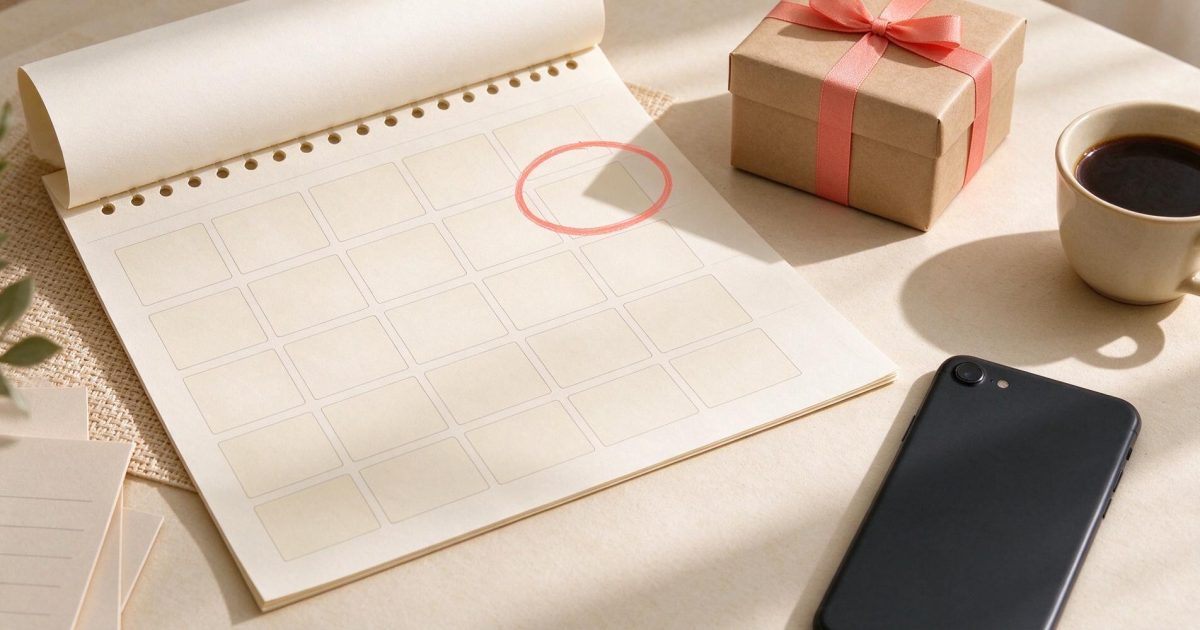
The way to never forget a birthday is dull, and it works: save each date once, in one place, and have the alert come a week before rather than on the day. A week is enough to write something, post a card or find out what your nephew is into these days. Your phone calendar can handle the alert. What no calendar does is the part that actually gets postponed, the message itself. That is what our reminders add: when a birthday reminder arrives, the greeting for that person is already written.
Why birthdays slip, even when you care
Forgetting a birthday is rarely about not caring. The date is usually stored somewhere, just not where you look: in an old phone, a paper diary, a Facebook profile nobody opens anymore, or your mother's memory. Or the alert does go off, at 9:00 on the day, in the middle of a meeting, and you promise yourself to write something at lunch.
The second reason gets less attention. An alert tells you whose birthday it is and stops there. Writing the message is a small job with no deadline, until it suddenly has one. So it moves to the evening, then to "tomorrow, with an apology". A reminder that arrives with the words already written takes away the step where greetings usually get stuck.
Birthday reminder options compared
There are five common ways to keep track of birthdays, plus ours, and each of them suits somebody.
| Option | How dates get in | What arrives | Where it falls short |
|---|---|---|---|
| Phone calendar (iPhone, Android) | A yearly event you add, or birthdays from your contacts | An alert with the name, at the time you set | One more notification among many; the message is still on you |
| Google Calendar | Birthdays from your Google contacts, or a yearly event | A notification, or an email if you set one | Same as the phone: it tells you, you still write |
| Facebook birthdays | Friends' profiles, if they show the date | A notification inside Facebook | Only friends who still use it and still show their birthday; nothing if you rarely open the app |
| A spreadsheet or notebook | You type them in | Nothing, unless you open it | It never taps you on the shoulder |
| A birthday reminder app | You add dates; some apps can import them | A push notification; some apps add message templates | Another app to keep; the words are usually still yours to find |
| Wish Generator reminders | You add people and dates in your account | An email or a messenger message with a greeting written for that person | The greeting is only as good as what you saved about them; free accounts have a limit on reminders |
If you track a handful of birthdays and like writing every message yourself, a phone calendar set to a week before is all you need, and it costs nothing. If birthdays slip because the message never gets written, a calendar will not fix that. That is the case our reminders are built for.
Facebook deserves a separate word. For years it was how a lot of people knew whose birthday it was, and for many of them it quietly stopped working: friends hid their dates or left, and the notifications only reach you if you open the app. If your list lived there, copy it somewhere you control.
What is different about our reminders
A Wish Generator reminder is a date with a greeting attached. When it arrives, by email or in a messenger, the greeting for that person is already written. The agent writes it from what you saved about them: the name and your notes, such as that she just retired, that he is learning to cook, that they got a dog in spring. If it reads right, you send it. If not, you open it in the chat and say what to change: shorter, warmer, mention the dog, or write it in another language for his parents.
Reminders are not only for birthdays. You can set one for an anniversary, a name day, a holiday, or any date you describe in your own words, like "First day at the new job". And you do not need the year. Plenty of people know a friend's birthday but not how old they are turning, so save the day and the month and leave the year empty.
How to set up birthday reminders, step by step
Everything below happens in your account. Set up reminders once and they come round every year.
Add your people
Open People and add the people you write to: a name, the birthday (the year is optional) and a note or two. The greeting is built from these notes, so "loves gardening, became a grandmother in June" is worth the ten seconds it takes.
Turn their birthdays into reminders in one go
On the Reminders page, one button adds a birthday reminder for every person in People who has a birthday saved. No need to set them up one by one.
Add the other dates
Press Add a date for an anniversary, a name day or a date you describe yourself. Say who it is for, pick the day and the month, and add the year only if you know it.
Choose when to hear about it
A week before, three days before, on the day: tick one or several. A week before leaves time for a card or a present that has to travel. On the day is a good safety net.
Choose where it comes
By email or in a messenger. Either way, the reminder brings the greeting already written, with a button to send it.
Pause or delete when things change
Any reminder can be turned off for a while or deleted, at any time. Free accounts have a limit on the number of reminders; paid plans have more.
What the reminder looks like
The letter is short. At the top: who, what and how many days are left, for example "Dad - 65th birthday in 7 days". Below that sits the greeting, written for him from your notes, and a Send it button that opens it in Wish Generator ready to go. Nothing leaves from the letter itself: you look, then you send.
Here is the kind of greeting a reminder brings, next to the note it was written from. The people are made up; the notes are the kind worth saving.
Note on Dad's card: 65, retired in spring, restoring an old Volvo in the garage.
"Happy 65th, Dad! Your first birthday as a free man. I hope the Volvo starts on the first try today and nobody asks you to fix anything else. Love you.
Note on Lena's card: school friend, lives in Toronto, runs marathons.
"Happy birthday, Lena! Twenty years of friendship and you still make me feel lazy. I hope Toronto gives you a good long run and an even better cake. Call me when you are back on the couch.
Note on Grandma's card: 88, bakes for the whole street, hates a fuss.
"Happy birthday, Grandma. No fuss, promised. Just this: the street is lucky to have your apple cake, and we are lucky to have you. See you on Sunday.
If one of these is not quite right, you change it in the chat with a plain request: "make it shorter", "less formal", "add that we are coming in August". And if a birthday is today and there is no time for setup, write a greeting now. Text greetings are free, and the first one needs no account.
Send it for me: when the greeting should go out on its own
On paid plans a reminder can do the sending as well. Switch on Send it for me, and three days before the date the agent writes the greeting and emails it to you: this is what will go, change it or stop it. On the day at 09:00, in the reminder's time zone, it goes to the person by email, SMS or a popular messenger. Every year it is a new text, never last year's again. Until it goes out, you can move it or cancel it.
It suits the people you want to reach without fail but do not write to often: a godson, an old teacher, a client you like. For your closest people, use the three days properly: read the text and add one line only you could have written. If the person lives in another time zone, how to send a greeting on the morning of the day covers the timing.
Habits that keep birthdays from slipping
Look at the next 30 days once a month
Pick a fixed day, say the first Sunday of the month, open Reminders and see who is coming up. Decide who gets a call, who a message and who a present that has to go by post. It takes five minutes and gives a present that travels by post the head start a one-week alert cannot.
Save a note the moment you learn something
A friend mentions a new job, your sister starts pottery, the neighbours name their dog Biscuit. Add it to that person's card in People right then. In eleven months you will not remember, and one real detail is what makes a message heartfelt, as how to write a heartfelt birthday message explains.
Ask for the dates you do not have
A line in the family chat, "I am putting everyone's birthdays in one place, when is yours?", fills a list faster than guessing from old photos. If someone gives you the day but not the year, save it without the year.
Use two alerts for the people who matter most
A week before, to prepare. On the day, as a backup. For everyone else, one alert is plenty, and fewer alerts means you actually read them.
Birthday reminder questions
What is the best way to remember birthdays?
Keep all the dates in one place that alerts you, and set the alert for a week before, not the day itself. A phone calendar is enough if you only need the nudge. If the message is what you keep putting off, use a reminder that brings the greeting with it, and look at the next 30 days once a month.
Is there a birthday reminder that writes the message for you?
Wish Generator reminders do. A reminder comes by email or in a messenger with a greeting already written for that person, based on the name and notes you saved. You send it as it is or change it in the chat. Free accounts have a limit on the number of reminders; paid plans have more.
Can I get birthday reminders by email?
Yes. Choose email as the place the reminder comes, and pick a week before, three days before, on the day, or several of them. Each email names the person and the date and includes a greeting ready to send. You can also get reminders in a messenger instead.
Can I save a birthday without the year?
The year is optional: save the day and the month, and the reminder still comes every year. Add the year later if you learn it. This works for people in People and for any date you add on the Reminders page.
Why did I stop seeing birthdays on Facebook?
Usually because the friend hid their birthday, left Facebook, or you rarely open the app, where those reminders show up. Facebook only shows the birthdays friends choose to share. If you relied on it, copy the dates you still can into a calendar or a reminder service you control.
Can a birthday greeting be sent automatically every year?
Yes, on paid plans with Send it for me. Three days before, the agent writes a new greeting and emails it to you to check or stop. On the day at 09:00, in the reminder's time zone, it goes to the person by email, SMS or a messenger. You can move or cancel it before then.