Create photo cards that look like your family with GPT Image
GPT Image is OpenAI's family of image models, from the makers of ChatGPT, and two of them work here. GPT Image 2.5 Flare keeps faces closest to your photos and is what Auto picks for pictures. GPT Image 2 is slower and draws the fine details, words on the card included.
- Made by OpenAI
- from 80 credits
Updated 29.09.2026
A lettered 70th, a balcony toast and Grandma in watercolour
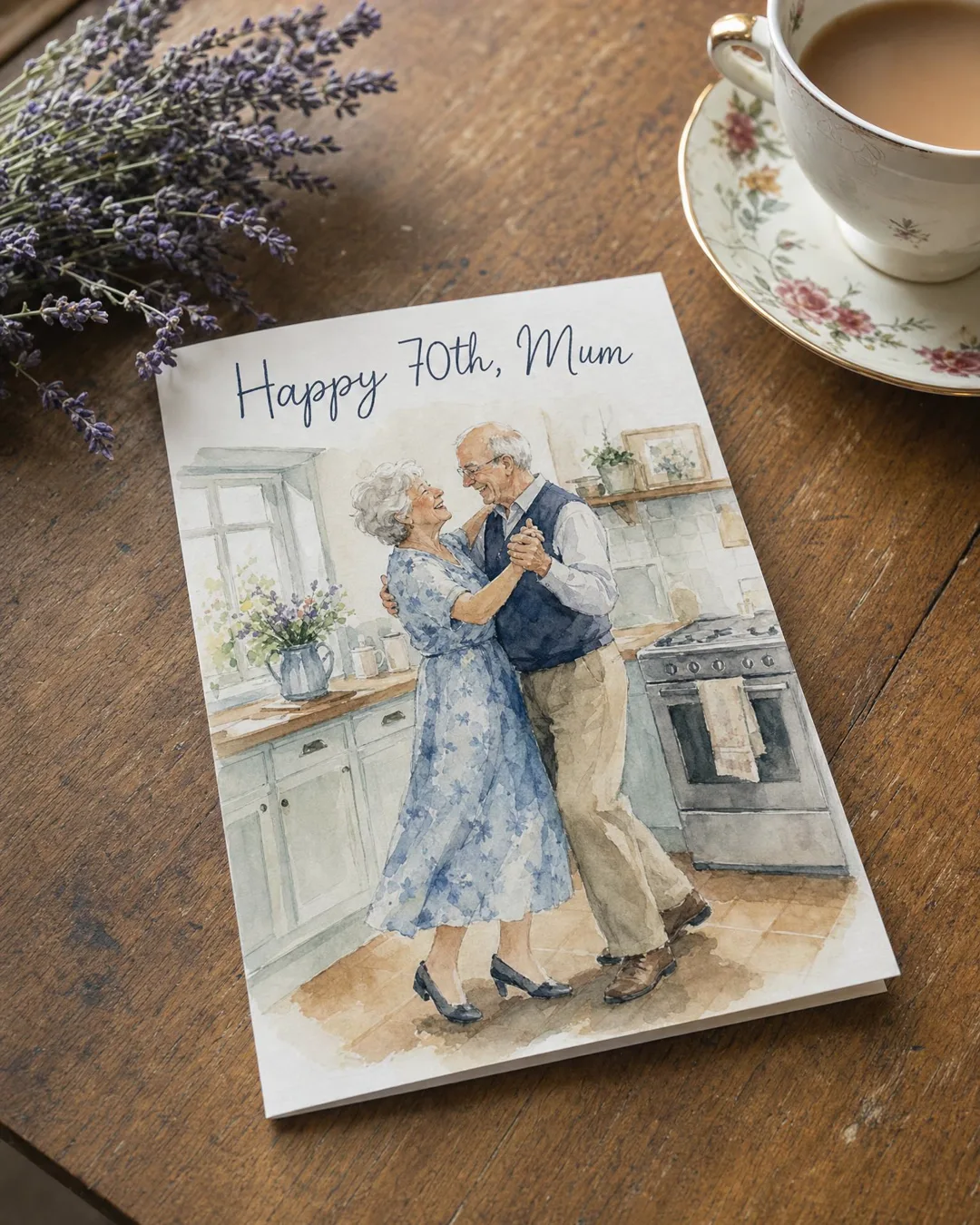
Prompt
A printed birthday greeting card lying on a wooden table next to a cup of tea and a sprig of lavender. The card shows a watercolour illustration of an old couple dancing in a kitchen, and neat hand-lettered text at the top that reads exactly: "Happy 70th, Mum". Soft morning light, shallow depth of field, realistic photo.
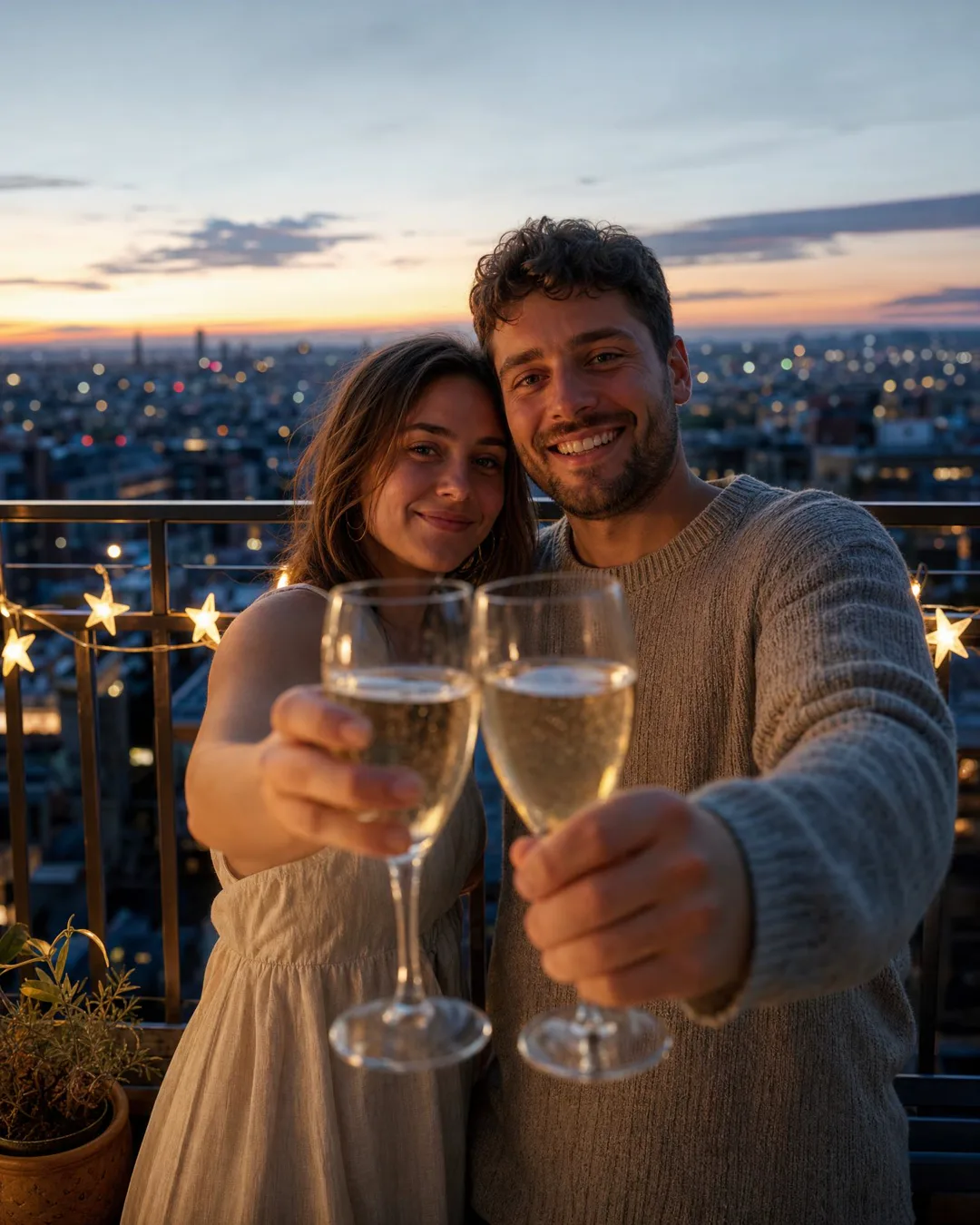
Prompt
Candid photo of a young couple on a balcony at dusk raising glasses of sparkling wine towards the camera, city lights behind them, a small banner of paper stars on the railing, natural skin, detailed fabric of her linen dress and his knitted sweater, warm and cinematic, no text
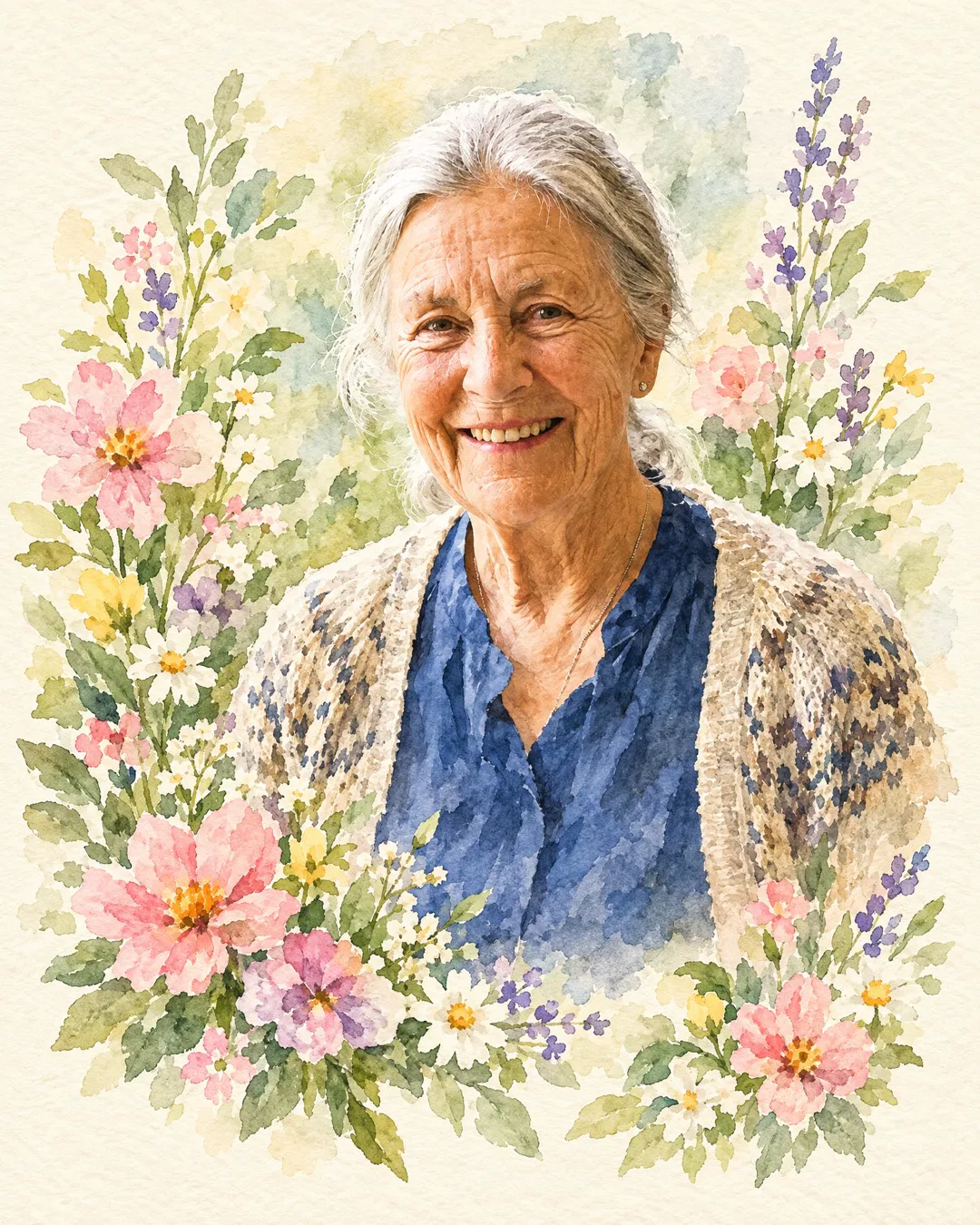
Prompt
Turn this photo into a hand-painted watercolour birthday card: keep her face, smile and hair exactly as in the photo, soft washes of colour, flowers around her, a cream paper texture, no text
Photos carry the faces, the prompt carries the rest
Use my photos of Mum, Dad and my brother Sam. The three of them on a picnic blanket at the beach, late afternoon sun low over the water, a birthday cake with lit candles in an old biscuit tin, Dad pretending to count them and everyone laughing, a warm candid photo
A printed card propped on a bookshelf next to a small jar of daisies. A watercolour of a sleeping newborn in a knitted hat, and neat hand-lettered text at the bottom that reads exactly: "Welcome, Maya". Soft morning light, realistic photo, no other text
Turn my photo of Grandma Lea into a birthday card painted in watercolour. Keep her face, smile and silver hair exactly as in the photo, a bunch of peonies in her arms, soft washes of pink and green, cream paper texture, no text
Flare minds the faces, GPT Image 2 minds the letters
Both are OpenAI models, both make pictures in 1K or 2K, and both take up to 8 of your photos as reference. The difference is what each one is careful about. GPT Image 2.5 Flare is careful about faces. Auto picks it for pictures here, it is the cheaper of the two, and a card comes back in about 25 seconds. When the only thing anyone will check is whether it looks like Mum, start with Flare.
GPT Image 2 is careful about everything else. A card takes about 80 seconds and costs more, and the extra time shows. The lettered card and the balcony toast above were made with it, from words alone, in 2K. One is a printed watercolour card on a wooden table beside a cup of tea and a sprig of lavender: a grey-haired couple waltzing by the stove, with "Happy 70th, Mum" lettered across the top, spelled right. The other is a young couple raising glasses on a balcony at dusk, where you can see the weave of her linen dress and the stitches in his sweater.
Faces first: Flare. Words or texture first: GPT Image 2.
Choose the photos before you write a word
The photos do more of the work than the prompt. Pick pictures where each face is clear, well lit and not hidden behind sunglasses or a raised glass.
Then count heads. A picture can hold up to 6 people, but faces stay most reliable up to 4. Past that, the cousin at the far end of the table may come out looking like somebody else's cousin. If the whole table matters, Nano Banana Pro holds a likeness for up to 5 people and is worth the switch.
In the prompt, let the photos carry the faces and spend your words on everything else: the place, the light, who is doing what. "Grandpa at the head of the table, lifting his glass, late sun through the vine leaves" gives Flare a scene to build. Leave noses and hairstyles to the photos.
If the card is right but the frame is not, do not start again: reshape it with reframe, or make it sharper with upscale.
When Nano Banana, Seedream or Qwen does the job better
GPT Image is our default for pictures, not our only option. Nano Banana Pro from Google keeps a likeness for up to 5 people and drew the pictures for all 36 of our scenes. For a big family in one frame, try it first. Its sibling Nano Banana 2 carries the Fast tag.
ByteDance's Seedream 5.0 Pro is the pick for rich colour: balloons, fairy lights, a garden dinner on the best day of summer. FLUX.2 Pro and Kling O3 start at the lowest prices among our picture models, useful for testing a setting before you spend more on the final card with everyone's photos. For lettering, Qwen Image 3 from Alibaba is tagged Clean text, though it takes only 3 reference photos where GPT Image takes 8.
A finished card can also move. Bring it to life as a short video with sound: Auto gives that job to MiniMax H3, Kling 3.0 runs up to 15 seconds, and Veo 3.1 is tagged Cinema quality.
Our default for pictures, and the one that spells
Faces that stay theirs
GPT Image 2.5 Flare is the model we trust most with likeness, which is why Auto uses it for pictures. Give it up to 8 photos and it works from them to keep what makes your people recognisable: Dad's grey beard, your sister's crooked smile, Grandma's laugh lines.
A card in about 25 seconds
We timed it: a Flare card takes about 25 seconds here. That is quick enough to try the kitchen, then the garden, then the beach at sunset, and keep the one that feels right. GPT Image 2 takes about 80 seconds, still faster than finding a pen that works.
Words spelled right on the card
When the card needs lettering, switch to GPT Image 2. The watercolour card above says "Happy 70th, Mum", and not one letter is out of place, as if it came from a shop. It is also the one for sharp detail: the weave of a linen dress, knitwear, skin in low evening light.
No settings needed
You do not have to open a single setting to use it. Tell the agent in the chat who should be in the card, add their photos, and Auto sends the picture to GPT Image 2.5 Flare. Switch to Standard only when you want GPT Image 2 or a different size.
About 25 seconds or about 80, and what you get for the wait
Start with Flare: it is quicker and cheaper, and it keeps faces closest to the photos. Switch to GPT Image 2 when words or fine texture carry the card. For five people in one frame, try Nano Banana Pro.
| Model | Strong at | Length | Quality | Price |
|---|---|---|---|---|
| GPT Image 2.5 FlareOpenAI | Best likeness | up to 8 photos of your people | 1K, 2K | from 80 credits |
| GPT Image 2OpenAI | Sharp details | up to 8 photos of your people | 1K, 2K | from 100 credits |
Prices are in credits and are always shown on the button before you press it. Pricing
Keep exploring
GPT Image 2 is an OpenAI image model, tagged Sharp details in our picker, where it sits next to its…
OpenNano BananaNano Banana is Google's image model, and two versions of it work here. Nano Banana Pro keeps the likeness of…
OpenSeedreamSeedream 5.0 Pro is ByteDance's image model, and on Wish Generator it is the one to pick when a card…
OpenAI photo cardAn AI photo card puts your own people into one picture: add a photo of each and they sit at…
OpenQuestions about Flare, GPT Image 2 and ChatGPT
Yes. The watercolour of a grandmother on this page is GPT Image 2.5 Flare working from one picture of her: the face kept, the style changed, at 2K. Start with a clear, well-lit portrait, say what must stay the same (face, smile, hair) and what should change, and add "no text" if you want nothing written on the painting.
Same maker, different place. GPT Image is OpenAI's line of image models, and OpenAI also makes ChatGPT. Here you pick the version yourself, add your people from their photos or saved contacts and send the finished card on the day. No ChatGPT account is needed: it all runs on Wish Generator credits.
Flare is about likeness and speed; GPT Image 2 is about detail and lettering. A Flare card takes about 25 seconds here, costs less and keeps faces closest to your photos, which is why Auto uses it. GPT Image 2 takes about 80 seconds, costs more and is the one for sharp details and words on the card. Both make 1K or 2K pictures.
Yes. Add each person's photo (JPG, PNG or WebP, up to 10 MB) and describe where they are together. Six people fit in a picture, and likeness is safest with four or fewer. For a table of five, try Nano Banana Pro, which holds a likeness for up to 5 people.
Yes, with GPT Image 2: pick it in the Model picker. The watercolour card on this page reads "Happy 70th, Mum", spelled right. Write the exact words in quotation marks, keep them short and check each letter before you send. Qwen Image 3 from Alibaba is another option for clean text, with up to 3 reference photos.
A card that looks like them by the morning
Add their photos, say where they are, and let Flare keep the faces while you choose the day the card arrives.
Create with GPT Image


